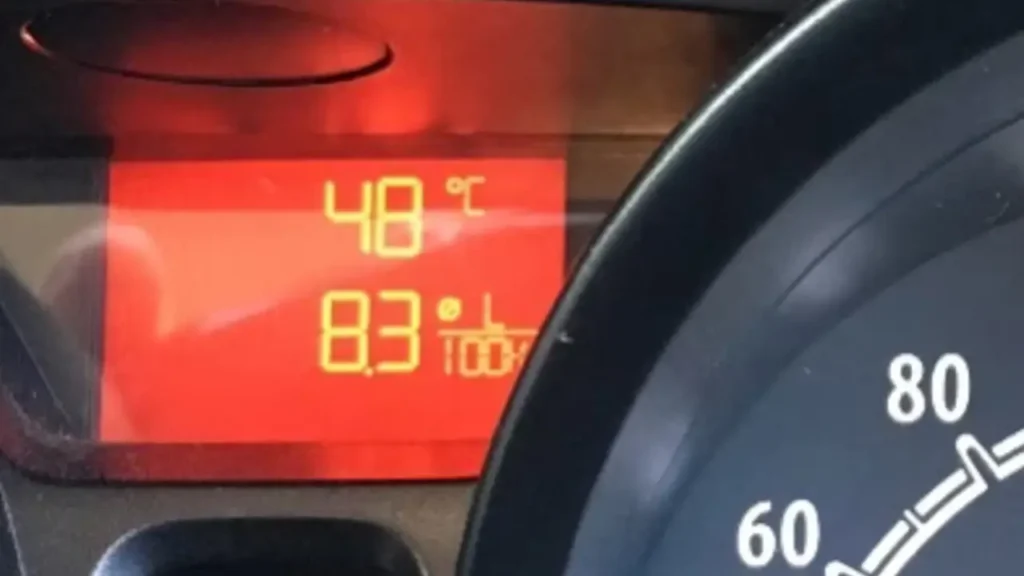
If you’ve ever climbed into your car on a scorching summer day only to find your infotainment screen completely black or unresponsive, you’re not alone. Car screen overheating issues have become increasingly common as modern vehicles pack more sensitive electronics into dashboards exposed to extreme temperatures. With Australia’s harsh summers regularly pushing cabin temperatures beyond 70°C (158°F), these sophisticated displays are fighting a losing battle against the sun.
The problem has become particularly noticeable among owners of Chinese-manufactured vehicles, where infotainment systems sometimes struggle more visibly with heat stress. But this isn’t just a budget car issue—even premium vehicles experience dashboard screen overheating symptoms when parked in direct sunlight for extended periods. Understanding why this happens and how to prevent it can save you from expensive repairs and frustrating breakdowns during your daily commute.
Why Heat Breaks Car Displays: Inside the Tech
Modern car infotainment systems are essentially computers mounted in one of the worst possible locations—directly behind glass, often in black plastic housings, with minimal airflow when the vehicle is off. Unlike your home computer that sits in climate-controlled comfort, high temperature electronics in cars face brutal conditions that would make any engineer cringe.
LCD and OLED displays have specific operating temperature ranges, typically between -20°C to 70°C (-4°F to 158°F) for operation, though these limits vary by manufacturer. When temperatures exceed these thresholds, the liquid crystals in LCD screens can literally change state, causing temporary or permanent display malfunction. The adhesives holding screen layers together can soften and separate, while solder joints on circuit boards expand and contract, potentially creating micro-fractures that lead to intermittent or complete failure.
Touch screen digitizers are particularly vulnerable. The transparent conductive layers that detect your finger’s position rely on precise electrical properties that change dramatically with temperature. At extreme heat levels, these sensors become erratic or stop working altogether. The processor chips running your infotainment system also generate their own heat during operation, and when starting from an already superheated state, they can trigger thermal protection shutdowns that make the screen appear dead.
Chinese automotive manufacturers have made tremendous strides in quality, but their infotainment systems sometimes use components rated for slightly lower temperature tolerances compared to European or Japanese counterparts. This doesn’t mean they’re inferior—it’s often a cost-saving measure where the assumption is that proper vehicle design will keep temperatures manageable. Unfortunately, when a car sits in an Australian car park for eight hours in January, those assumptions don’t always hold up.
Symptoms of Screen Heat Stress on Infotainment Units
Recognizing dashboard screen overheating symptoms early can help you take preventive action before permanent damage occurs. The most obvious sign is a completely black screen when you start your vehicle after it’s been parked in the heat. You might hear the system attempting to boot—chimes, startup sounds—but the display remains dark. This typically resolves itself after the cabin cools down, though repeated incidents can lead to permanent failure.
Another common symptom is severe interface lag. Your touchscreen responds seconds after you tap it, menus stutter and freeze, and the backup camera takes ages to display when you shift into reverse. This sluggish performance indicates the processor is thermal throttling—deliberately slowing itself down to prevent damage from excessive heat. While annoying, this is actually a protective measure.
You might also notice strange visual artifacts: flickering, color distortion (particularly a pink or purple tint), horizontal or vertical lines across the display, or sections of the screen that appear washed out or darker than others. These indicate the LCD panel itself is experiencing temperature-related stress. White screens, inverted colors, or displays that show only part of the normal interface are all warning signs.
In severe cases, the touchscreen becomes completely unresponsive even though the display shows content. You can see the map or radio station, but tapping does nothing. This suggests the digitizer layer has failed due to heat damage. Some systems will spontaneously reboot repeatedly, stuck in a loop as they overheat during startup, cool slightly, try again, and overheat once more.
Perhaps most concerning is when these symptoms don’t resolve after cooling. If your screen remains problematic even when the car has been parked overnight in moderate temperatures, heat damage may have progressed beyond the temporary stage into permanent component failure requiring professional repair or replacement.
How Hot Interiors Damage Electronics & Dashboard Panels
The physics of summer heat dashboard damage prevention starts with understanding just how extreme vehicle interiors become. Studies by organizations including the NRMA and various universities have consistently shown that car cabins heat up much faster and reach higher temperatures than most people realize.
On a 35°C (95°F) day, the interior of a closed vehicle can reach 65°C (149°F) within 30 minutes and push past 70°C (158°F) after an hour. Dark-colored interiors absorb even more heat, with dashboard surfaces measuring up to 90°C (194°F) in direct sunlight. These aren’t abstract numbers—they represent conditions that exceed the design specifications of most consumer electronics.
The dashboard itself acts as a heat sink, absorbing solar radiation through the windscreen and radiating it back into the cabin. Black plastic dashboards are particularly problematic, as they can be 20-30°C hotter than the surrounding air. Your infotainment screen is often mounted directly in this heat trap, with only millimeters of plastic separating it from the scorching dashboard surface.
UV radiation compounds the problem. While we focus on heat, ultraviolet light degrades plastics, adhesives, and even the polarizing films inside LCD screens. Over months and years, this UV exposure weakens the structural integrity of display components, making them more susceptible to heat-related failures. The combination of UV degradation and thermal cycling (repeated heating and cooling) creates a perfect storm for electronics failure.
The “greenhouse effect” inside vehicles is brutally efficient. Solar energy enters through the glass, strikes interior surfaces, and converts to infrared heat that can’t easily escape back through the windows. Air trapped inside the cabin has nowhere to go, creating a sealed oven. Without ventilation, this heat builds continuously as long as the sun shines on the vehicle.
Interior materials also release volatile organic compounds (VOCs) when heated, creating that distinctive “hot car smell.” While not directly damaging to electronics, these compounds can settle on screen surfaces and circuit boards, potentially contributing to long-term degradation. The combination of extreme heat, UV exposure, and chemical off-gassing creates an incredibly hostile environment for sensitive electronics.
Effective Sunshade Solutions for Car Electronics
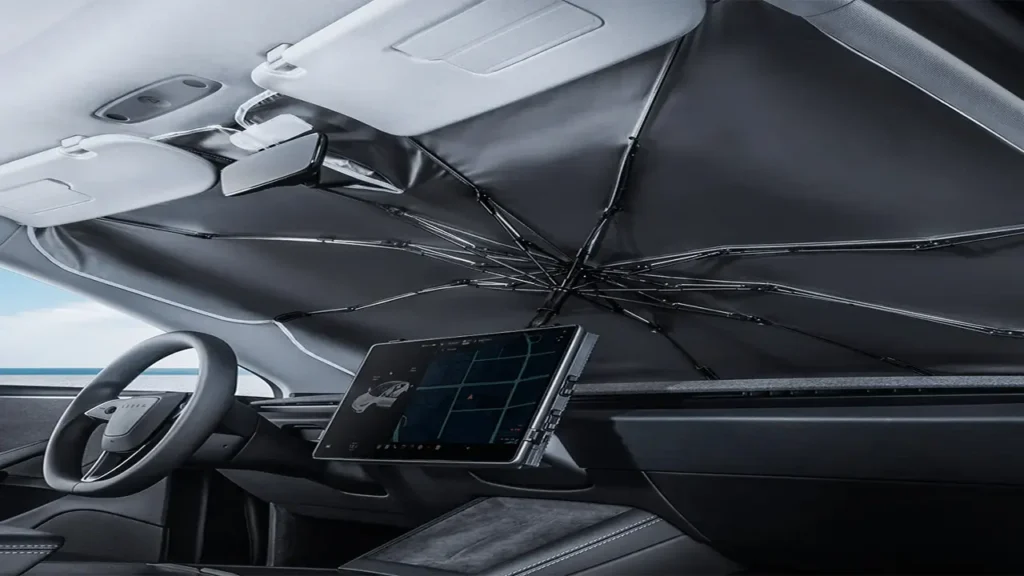
The single most cost-effective protection strategy is using sunshade solutions for car electronics—specifically, quality windscreen sunshades that dramatically reduce cabin temperatures. Research published in automotive journals shows that proper sunshades can lower dashboard temperatures by 15-25°C (27-45°F), which often means the difference between an infotainment system that works and one that doesn’t.
Reflective silver or white sunshades work best because they bounce solar radiation back out through the windscreen rather than absorbing it. The reflective material, often made from metalized fabric or aluminum foil backing, prevents heat from ever entering the vehicle in the first place. Look for sunshades that fit tightly against the windscreen, covering the entire glass surface including the areas near the pillars where light can sneak in.
Custom-fit sunshades designed specifically for your vehicle model provide superior protection compared to generic universal options. They cover more glass area and stay in position better, eliminating gaps where sunlight can penetrate and heat the dashboard. While they cost more upfront, the protection they offer to your expensive infotainment system makes them worthwhile.
Side window shades shouldn’t be overlooked either. Morning and afternoon sun angles mean solar radiation can strike your dashboard and screen from the sides, not just through the windscreen. Mesh or magnetic side window covers allow some visibility for security while still blocking significant heat. In Australia’s intense sun, comprehensive coverage from all angles provides the best protection.
For maximum effectiveness, combine sunshades with strategic parking. Even ten minutes in shade versus direct sun can mean a 10-15°C difference in interior temperature. If you must park in the open, orient your vehicle so the windscreen faces away from the afternoon sun, which is typically the hottest part of the day. North-facing parking (in the Southern Hemisphere) reduces direct windscreen exposure during peak heating hours.
Ventilated sunshades that allow a small gap for air circulation can help prevent heat buildup while still blocking direct sunlight. Some drivers crack windows slightly when parking in safe areas, allowing hot air to escape and reducing the greenhouse effect. However, security concerns and the risk of rain make this approach less practical for many situations.
Best Cooling Accessories That Work in Extreme Heat
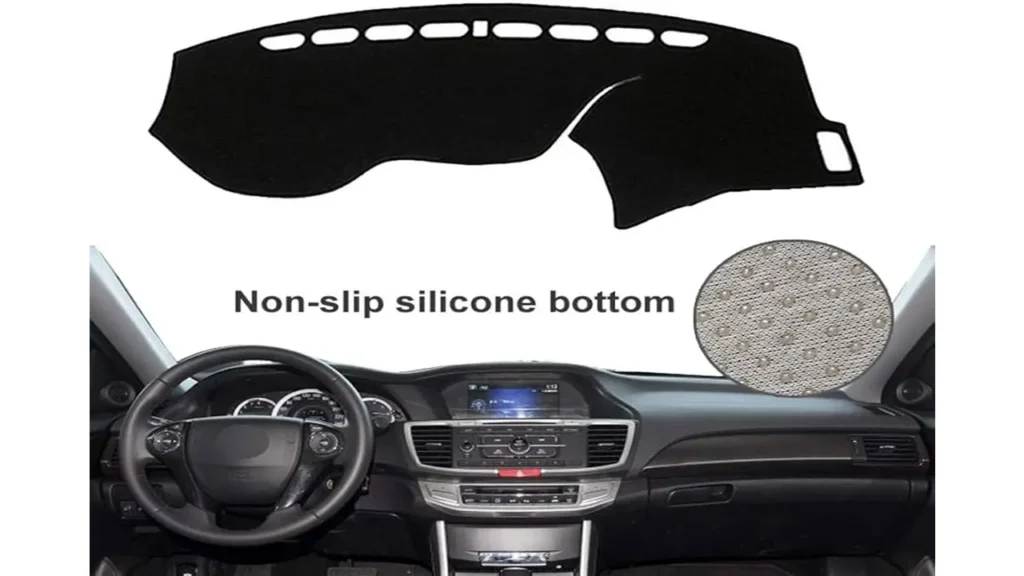
Beyond sunshades, several heat reflective dashboard covers and vehicle interior UV protection accessories provide additional layers of defense for your car’s electronics. Dashboard covers made from heat-resistant materials like felt, velour, or specialized fabrics create an insulating barrier between the hot dashboard surface and your infotainment screen.
Reflective dashboard mats designed specifically for heat protection use materials similar to emergency thermal blankets—thin, lightweight, and highly reflective. These can be placed over the dashboard when parking, directly protecting the area around your infotainment screen from radiant heat. The key is ensuring they don’t cover vents or interfere with airbag deployment areas.
Solar-powered ventilation fans that clip to partially opened windows create airflow even when the car is off, helping hot air escape and preventing the extreme temperature buildup that damages electronics. These battery-free devices use a small solar panel to run quietly, exhausting hot air and drawing in slightly cooler outside air to prevent the cabin from becoming a sealed oven.
| Accessory Type | Temperature Reduction | Cost Range | Effectiveness |
|---|---|---|---|
| Reflective Windscreen Sunshade | 15-25°C reduction | $15-$50 AUD | High |
| Dashboard Reflective Mat | 10-15°C reduction | $20-$40 AUD | Medium-High |
| Solar Ventilation Fan | 8-12°C reduction | $25-$60 AUD | Medium |
| Side Window Mesh Shades | 5-10°C reduction | $10-$30 AUD | Medium |
| Ceramic Window Tinting | 8-15°C reduction | $300-$800 AUD | High (Long-term) |
Ceramic window tinting represents a permanent solution worth considering. Unlike traditional dyed tints that primarily reduce visible light, ceramic tints block significant infrared radiation—the actual heat component of sunlight—while still allowing good visibility. Quality ceramic tint can reject 50-70% of solar heat, dramatically reducing cabin temperatures year-round.
Insulated screen protectors designed for infotainment displays are emerging as a niche product. These thin, transparent films with heat-dispersing properties apply directly to your screen, helping dissipate heat and providing some UV protection. While not widely available yet, they represent an interesting development for infotainment display heat protection.
For those willing to invest more substantially, remote start systems with climate control allow you to pre-cool your vehicle before entering. Starting the air conditioning 5-10 minutes before you reach your car not only makes entry more comfortable but also gives your infotainment system a chance to cool down before you need to use it, reducing the likelihood of heat-related malfunctions.
LCD Screen Overheating Fixes & DIY Tips
When you’re already facing LCD screen overheating fixes, several practical steps can help restore function and prevent future problems. The first and most important: don’t immediately turn on the infotainment system when entering a superheated car. Start the vehicle, turn on the air conditioning to maximum with vents directed at the windscreen and dashboard, and let the cabin cool for 3-5 minutes before attempting to use the screen.
If the screen is already on but unresponsive or showing symptoms of heat stress, turning it off via the system menu (if possible) or turning off the entire vehicle for a few minutes can help. Forced shutdowns aren’t ideal for electronics, but they’re better than running an overheating system that could suffer permanent damage. Once the cabin cools to a reasonable temperature, the screen will often resume normal operation.
For persistent issues, check if your vehicle has a way to hard reset the infotainment system. Many vehicles include a reset procedure in the owner’s manual—often involving holding specific button combinations for 10-15 seconds. This clears temporary software glitches that can occur when systems shut down unexpectedly due to heat. Just be aware you may lose saved settings and need to re-pair your phone.
Ensure the air conditioning vents near your infotainment screen aren’t blocked or redirected away from the dashboard area. The vehicle’s climate control system is designed to cool the dashboard and windscreen, helping protect electronics. If you’ve placed phone holders, air fresheners, or other accessories that block these vents, you’re reducing the cooling airflow to your screen.
Some DIY enthusiasts have successfully installed small auxiliary fans behind the infotainment unit, drawing cooler air from behind the dashboard and exhausting it behind the screen. This modification requires removing the head unit and basic electrical skills but can provide active cooling that significantly reduces operating temperatures. Before attempting this, check whether it would void your vehicle warranty and ensure you’re comfortable working with vehicle electronics.
Cleaning the screen and surrounding dashboard area helps too. Dust and grime create an insulating layer that traps heat against the display. Use a microfiber cloth and electronics-safe cleaner to keep the screen and its housing clean. Avoid harsh chemicals that might damage protective coatings or seep into the display bezel.
For prevent touch screen failure in summer, consider coating the dashboard around your infotainment screen with protective sprays designed for automotive plastics. These products often include UV inhibitors that slow the degradation of dashboard materials, reducing heat absorption and off-gassing that can affect nearby electronics.
Infotainment Display Heat Protection: Long-Term Strategies
Developing infotainment display heat protection as a long-term strategy means incorporating heat management into your daily routines. Start with parking habits: consistently choosing shaded spots, using parking structures when available, and positioning your vehicle strategically can reduce cumulative heat exposure that leads to premature component failure.
Regular maintenance of your vehicle’s cooling system ensures the air conditioning works efficiently when you need it most. A poorly functioning AC system struggles to cool the cabin quickly, leaving your electronics exposed to high temperatures for longer periods. Have your AC system serviced according to manufacturer recommendations, typically every two years or 30,000 kilometers.
Monitor your infotainment system for early warning signs of heat stress, even minor ones. If you notice occasional sluggishness or brief visual anomalies on particularly hot days, take it as a sign to improve your heat protection measures. Waiting until complete failure occurs often means more expensive repairs, as repeated thermal cycling weakens components even if they continue functioning for a while.
Consider professional ceramic coating for your windscreen and windows. While more expensive than DIY solutions, professional-grade ceramic coatings provide superior heat rejection that lasts for years. The investment pays off through reduced cabin temperatures, improved air conditioning efficiency, and extended lifespan of interior components including electronics.
Document any recurring issues with photos or videos showing symptoms and noting the ambient temperature and parking conditions when problems occur. This information can be valuable if you need to make a warranty claim, as it demonstrates the issue is related to operating conditions rather than a manufacturing defect. Some manufacturers have issued service bulletins or software updates addressing heat-related performance issues in specific models.
| Prevention Strategy | Frequency | Impact |
|---|---|---|
| Use reflective sunshade | Every time parking | Very High |
| Park in shade when available | Daily | High |
| Pre-cool cabin before use | On hot days | Medium-High |
| Clean screen and dashboard | Monthly | Medium |
| Service AC system | Every 2 years | Medium |
| Monitor for early symptoms | Ongoing | High |
If you live in an exceptionally hot climate like northern Australia where extreme heat is a daily reality for months, you might consider aftermarket screen upgrades designed for higher temperature tolerance. Some commercial vehicle operators in the mining and transport industries use ruggedized displays rated for industrial environments. While expensive, they can be worth it if you’ve already replaced a failed infotainment screen once and want to avoid repeating the experience.
Firmware and software updates from your vehicle manufacturer sometimes include improved thermal management algorithms. These updates might adjust processor performance curves, modify screen brightness more aggressively in hot conditions, or implement more conservative temperature thresholds for automatic shutdown. Check your manufacturer’s website or authorized dealer for available updates specific to your vehicle model and year.
FAQs: Top Questions About Car Screen Heat Problems
Can dashboard heat damage touchscreen screens permanently?
Yes, prolonged exposure to extreme heat can cause permanent damage to touchscreen displays. The liquid crystals in LCD panels can degrade, adhesives can fail, and solder joints on circuit boards can crack from repeated thermal cycling. While modern infotainment systems include some thermal protection, they aren’t designed to operate continuously at temperatures exceeding 70°C (158°F). A screen that experiences frequent overheating will have a significantly shorter lifespan than one kept within normal operating temperatures. Permanent symptoms include dead pixels, persistent color distortion, unresponsive touchscreen zones, and complete display failure that doesn’t resolve when the system cools.
Do sunshades help with electronics overheating?
Absolutely—quality sunshades are one of the most effective and affordable sunshade solutions for car electronics. Research consistently shows that reflective windscreen sunshades can reduce dashboard temperatures by 15-25°C (27-45°F), which often brings temperatures back within safe operating ranges for electronics. The key is using properly fitted, reflective sunshades that cover the entire windscreen and potentially side windows as well. The modest investment in a good sunshade can prevent hundreds or thousands of dollars in electronics repairs, making it one of the best value-for-money protective measures available.
What temperature will damage my car’s infotainment screen?
Most automotive infotainment displays are rated for operating temperatures between -20°C to 70°C (-4°F to 158°F), though some systems use components rated for slightly lower maximum temperatures, particularly in budget-friendly vehicles. Storage temperatures (when the device is off) are typically rated higher, around 80-85°C (176-185°F). However, these are absolute limits, not recommended operating conditions. Dashboard surfaces in direct Australian sun can easily reach 90°C (194°F), which exceeds even storage temperature ratings. Even if a screen appears to function at these temperatures, the heat accelerates component degradation and dramatically shortens lifespan. Ideally, you want to keep your infotainment system below 60°C (140°F) for healthy long-term operation.
Why does my car screen turn black when it’s hot?
A black screen on a hot day typically indicates the infotainment system has triggered thermal protection shutdown. Modern electronics include temperature sensors that automatically power down components when temperatures exceed safe thresholds, preventing permanent damage. The system might boot and attempt to start but shut down again immediately if it’s still too hot. Alternatively, the LCD panel itself may temporarily fail at extreme temperatures as the liquid crystals change state, causing the display to go black even though the system is technically running. You might still hear audio or system sounds. This is usually a temporary condition that resolves once the cabin cools, but repeated incidents suggest you need better heat protection to avoid eventual permanent failure.
Are Chinese car infotainment systems more prone to heat issues?
Chinese automotive manufacturers have made significant quality improvements, but some of their infotainment systems do show slightly higher vulnerability to heat compared to Japanese or European counterparts. This often relates to component selection—using parts rated for narrower temperature ranges to meet price points rather than fundamental design flaws. That said, heat management issues affect vehicles from all manufacturers when exposed to extreme conditions.
The real difference is often in how much thermal safety margin is built in. European manufacturers designing for Mediterranean climates might spec components with higher temperature tolerances, while manufacturers focused on temperate markets might use more cost-effective parts. The good news is that preventive measures like sunshades work equally well regardless of where your vehicle was manufactured.
How can I tell if heat damage is permanent or temporary?
Temporary heat-related issues resolve completely once the system cools to normal operating temperature. If your screen works perfectly fine when you start your car in the morning or after the cabin has cooled but fails on hot afternoons, that’s typically temporary thermal stress. Permanent damage shows symptoms even in cool conditions: persistent dead pixels, areas of discoloration that don’t change, touchscreen zones that never respond, or boot failures that occur regardless of temperature.
Intermittent issues that gradually become more frequent suggest progressive heat damage—components weakened by repeated thermal stress that work sometimes but are approaching complete failure. If you’re unsure, have a qualified technician run diagnostics to check system temperatures and display function across various conditions before committing to expensive repairs.
Conclusion car screen overheating issues: Beating the Sun Without Burning Your Screen
Car screen overheating issues represent a perfect storm of modern vehicle design meeting extreme Australian conditions. As infotainment systems become more sophisticated and essential to vehicle operation, protecting them from heat damage becomes increasingly important. The good news is that relatively simple and affordable preventive measures—quality sunshades, strategic parking, and smart cooling practices—can dramatically extend the life of these expensive components.
Understanding the relationship between high temperature electronics in cars and their operating environments empowers you to make informed decisions about protection strategies. Whether you drive a Chinese-manufactured vehicle or a European luxury car, the laws of physics apply equally. Heat management isn’t about having the “right” brand but about recognizing the hostile environment and taking steps to mitigate it.
The investment in heat reflective dashboard covers, ceramic window tinting, or even just developing better parking habits pays dividends through extended electronics lifespan, consistent system reliability, and avoiding the frustration of dealing with a failed infotainment screen during summer. With replacement costs often exceeding $1,000-$2,000 AUD for modern touchscreen systems, prevention is dramatically more affordable than cure.
As summers continue to bring record temperatures across Australia, treating your vehicle’s electronics with the same care you’d give a laptop or smartphone makes sense. These aren’t simple radios anymore—they’re sophisticated computers controlling navigation, climate settings, backup cameras, and increasingly, vehicle safety systems. Protecting them from summer heat dashboard damage prevention through proactive measures ensures your car remains fully functional when you need it most.
Start with the basics: invest in a quality reflective sunshade, make shade-seeking a habit, and allow your cabin to cool before demanding performance from your infotainment system. These simple steps, consistently applied, will keep your screens running cooler and lasting longer through many Australian summers to come.

If you’re serious about solving car screen overheating issues, it’s time to think beyond sunshades. Smart diagnostics matter too. That’s why we recommend checking out https://autochina.blog/recommends/autel-ev/ — a powerful EV diagnostic solution that helps monitor system health, battery temps, and electronic stability before heat turns into expensive damage.
Overheating tech isn’t just a car problem — it’s a gadget problem too. If you care about protecting your electronics from extreme heat and daily wear, explore the latest smart accessories and cooling innovations at https://bestchinagadget.com/. Practical tools, clever upgrades, and heat-resistant solutions — all in one place.
Discover more from AutoChina
Subscribe to get the latest posts sent to your email.

